Budgeting app for iPhone and Android · coming soon

Stash a little.
Remember everything.

Pennyjay is a calm money app that looks forward. See what’s safe to spend before payday, keep every bill and subscription in view, and plan a budget together, with a sharp-eyed blue jay who spots big money moves first.

Which phone do you use? (optional)

One email when we launch. No spam, and we never share your address.

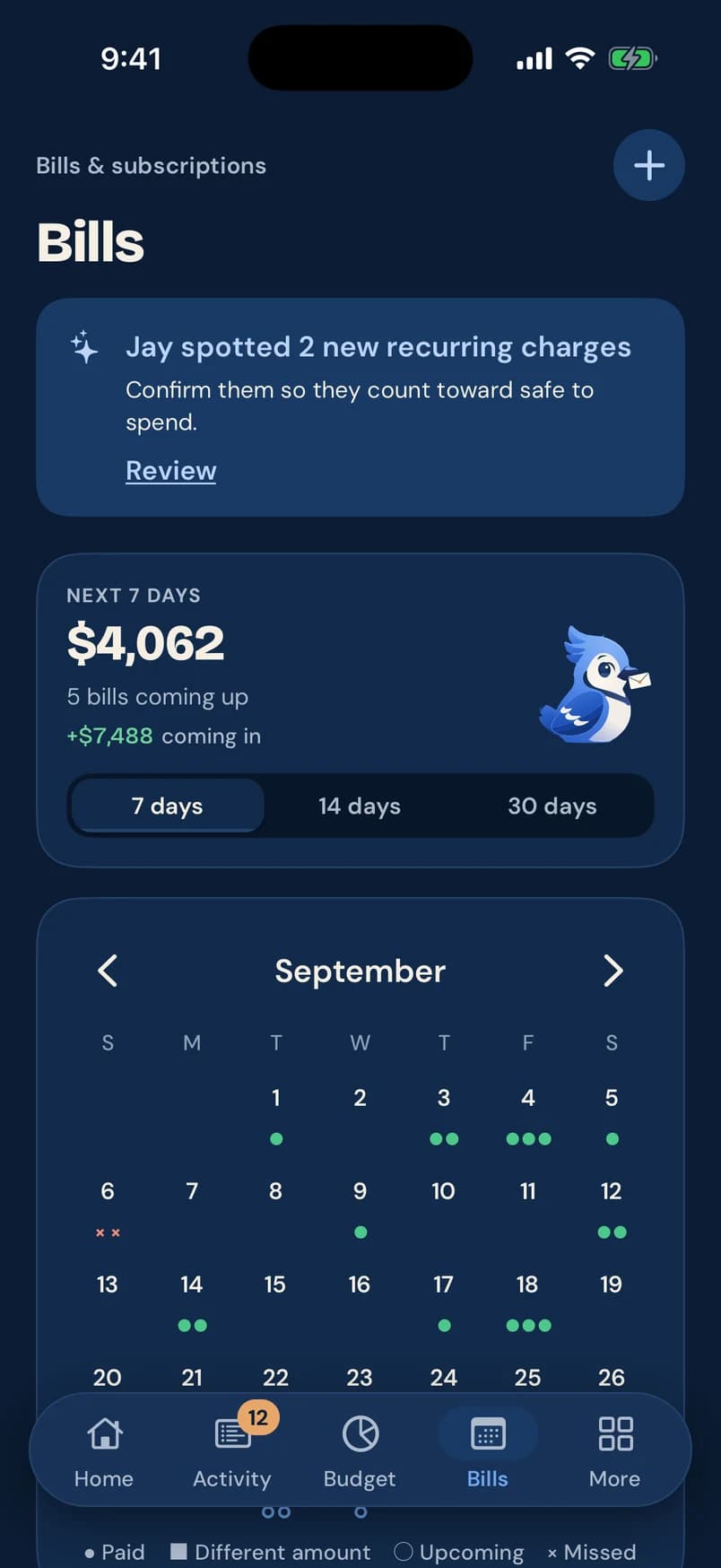
Bills screen: Jay spotted 2 new recurring charges, $4,062 due in the next 7 days, and a September calendar of paid and upcoming bills
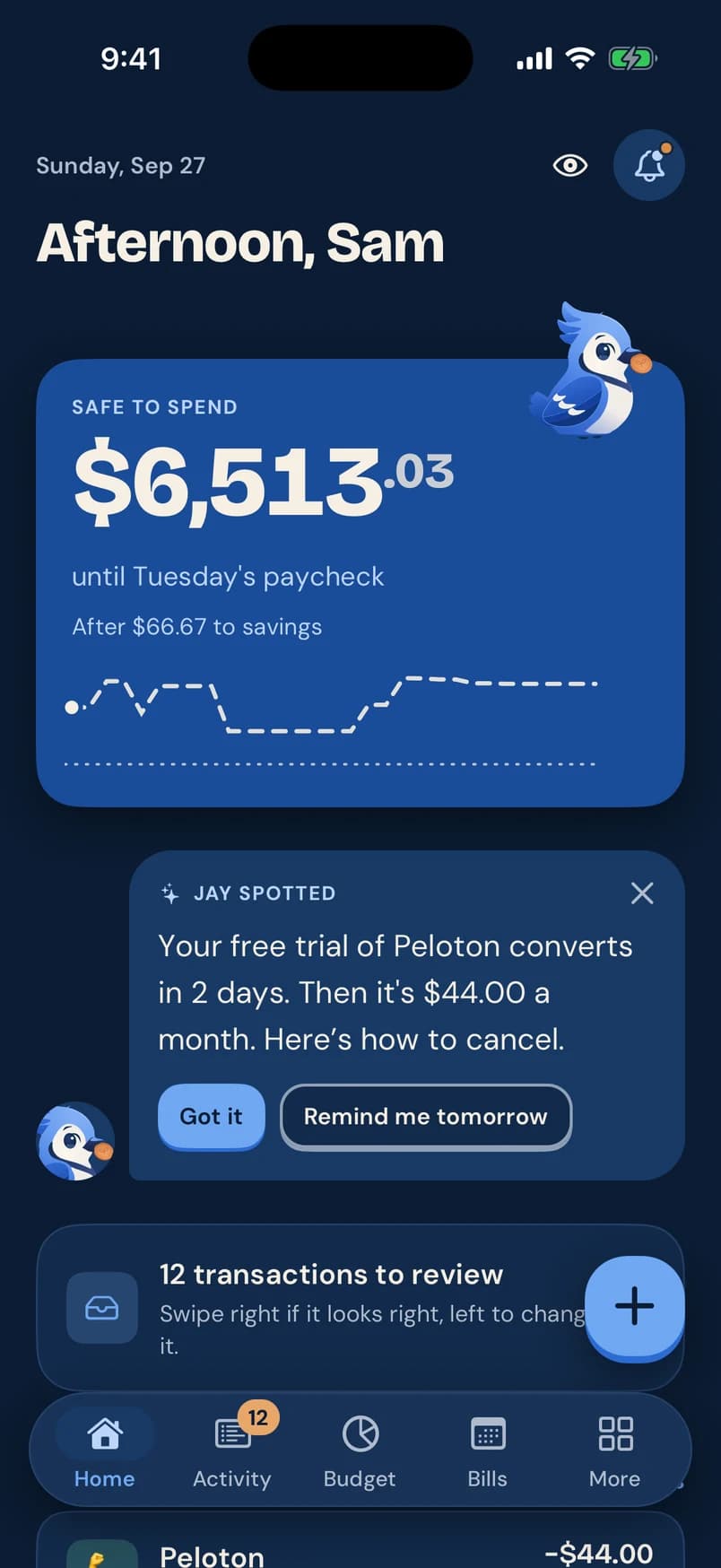
Pennyjay Home screen: $6,513.03 safe to spend until Tuesday’s paycheck, a projected balance line, and a note from Jay about a free trial ending

Look forward, not back

Know what’s safe to spend before payday.

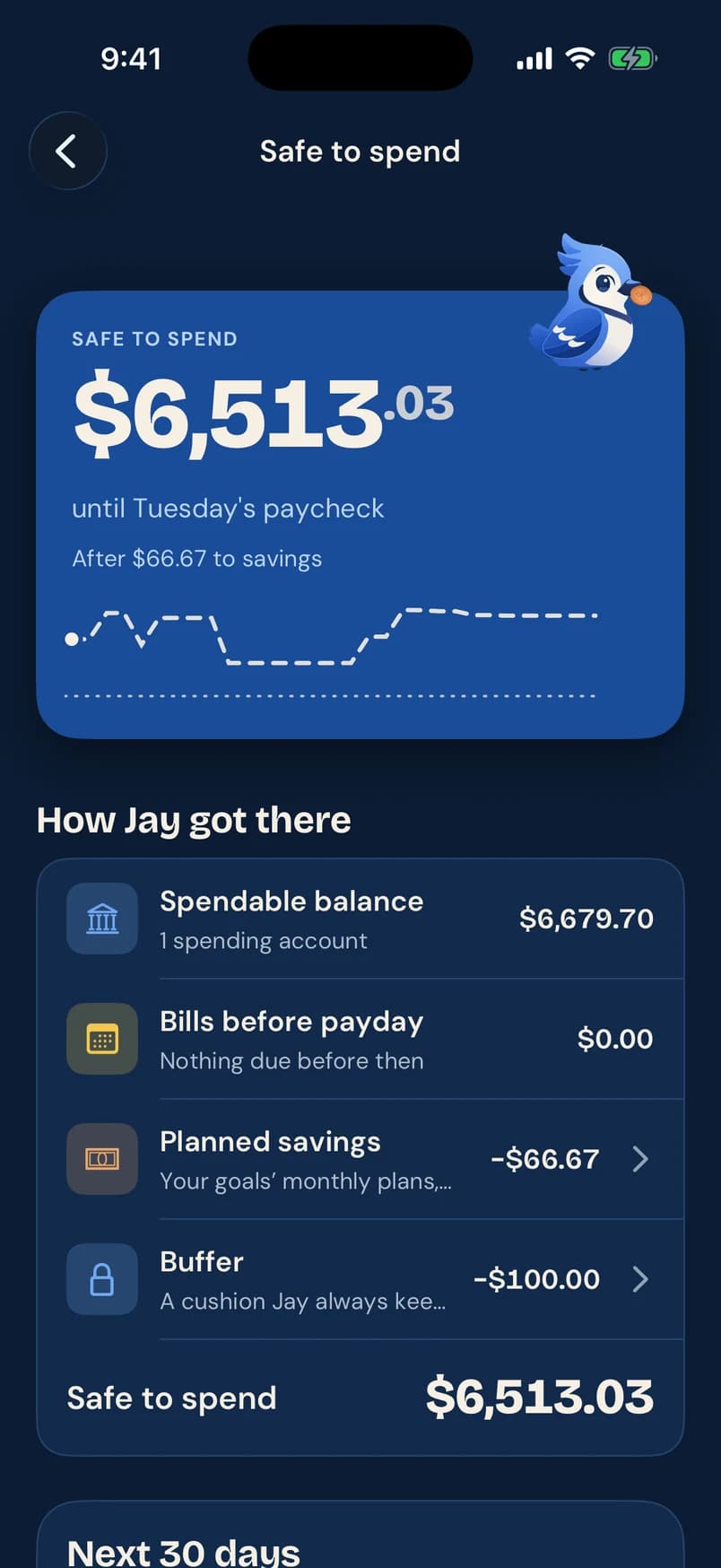
Most money apps tell you what already happened. Pennyjay starts with what’s coming: your balance, minus bills due before your next paycheck, minus what you planned to save. Then it shows you exactly how it got there.

  • A projected balance line through payday, with the forecast drawn dashed
  • Bills, planned savings and a small buffer taken out first
  • “How Jay got there”: every line of the math, one tap away
How safe to spend works
Safe to spend breakdown: spendable balance $6,679.70, bills before payday $0.00, planned savings −$66.67, buffer −$100.00, safe to spend $6,513.03
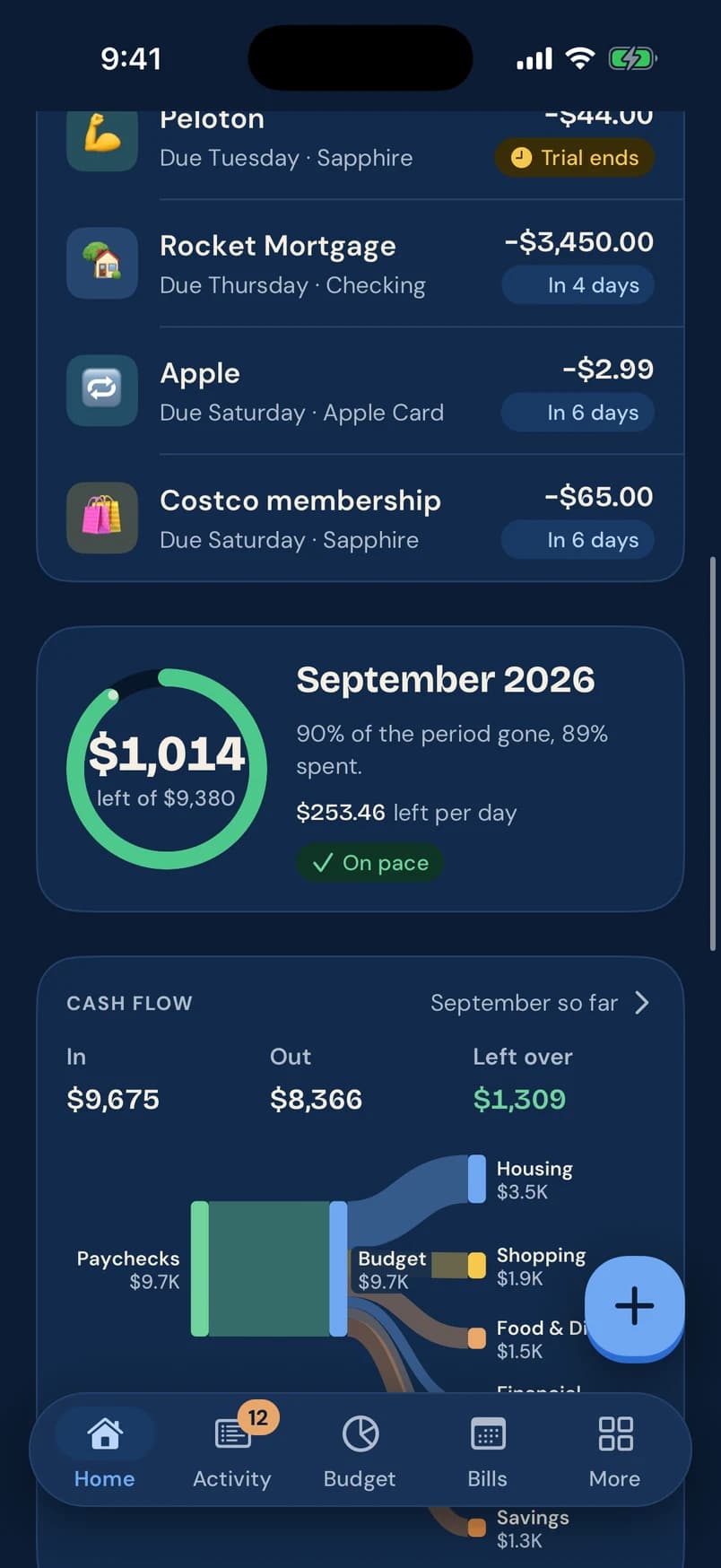
Pennyjay Home screen scrolled: bills due this week (Peloton trial ends, Rocket Mortgage, Apple, Costco membership), a September budget ring with $1,014 left, and cash flow

Everything in one nest

Your whole financial picture, finally calm.

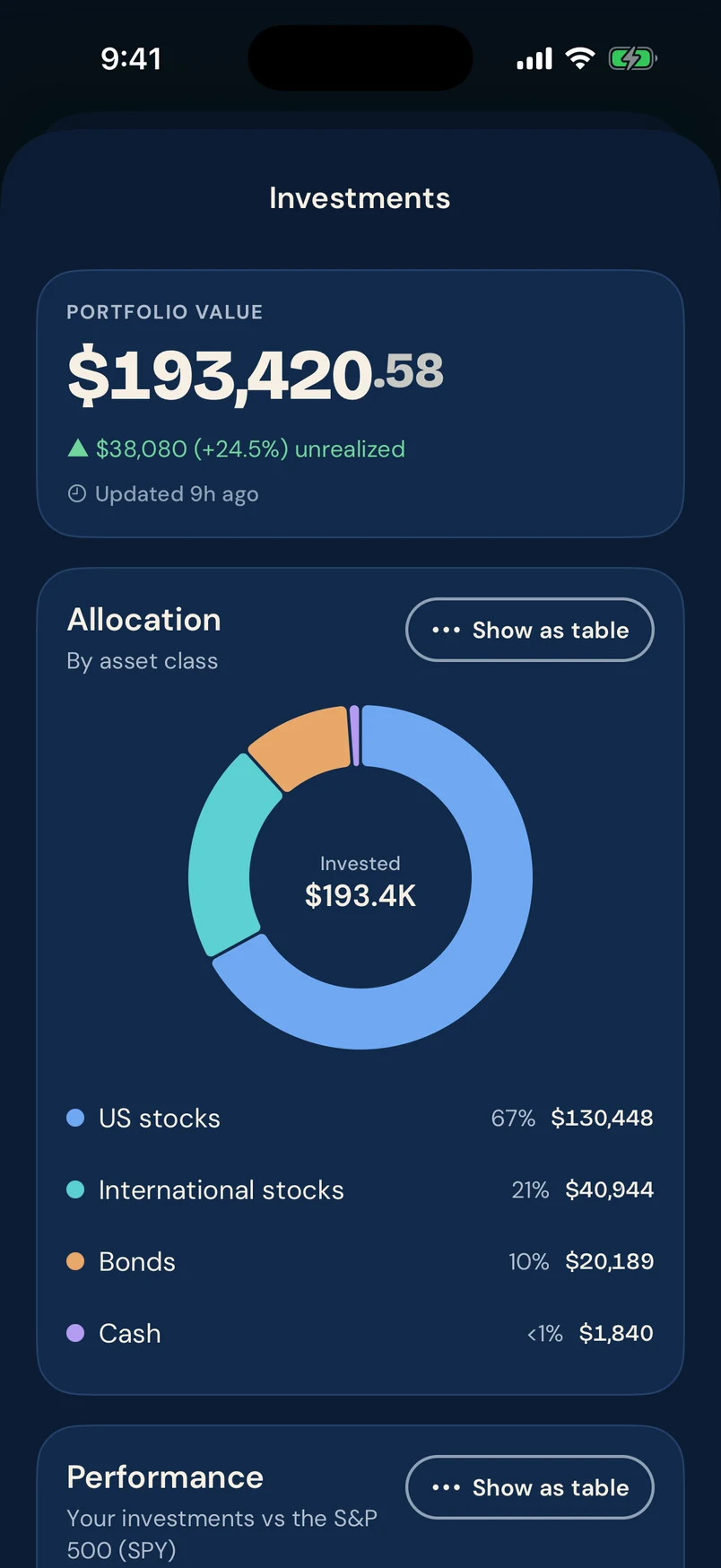
Connect your banks, cards, loans and investments. Pennyjay sorts it out, keeps it current, and tells you only what’s worth knowing.

Alerts

Jay spots it before you do.

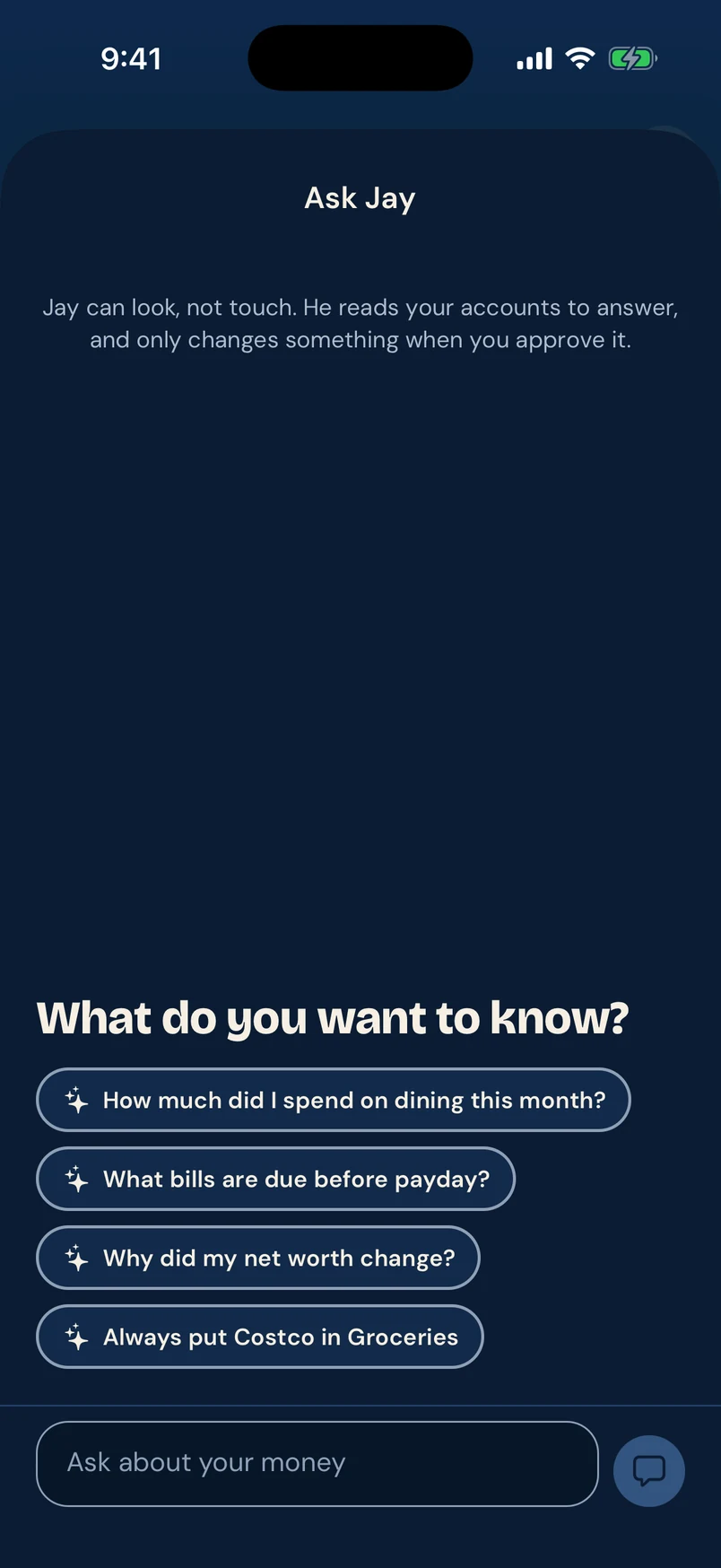
Pennyjay watches for the moments that matter and tells you what happened, what it means, and what you can do about it. No guilt, no noise.

  • Large charges and transfers, unusual or duplicate charges, and fees
  • A low balance coming up, before it happens
  • Price increases, free trials about to convert, and new recurring charges
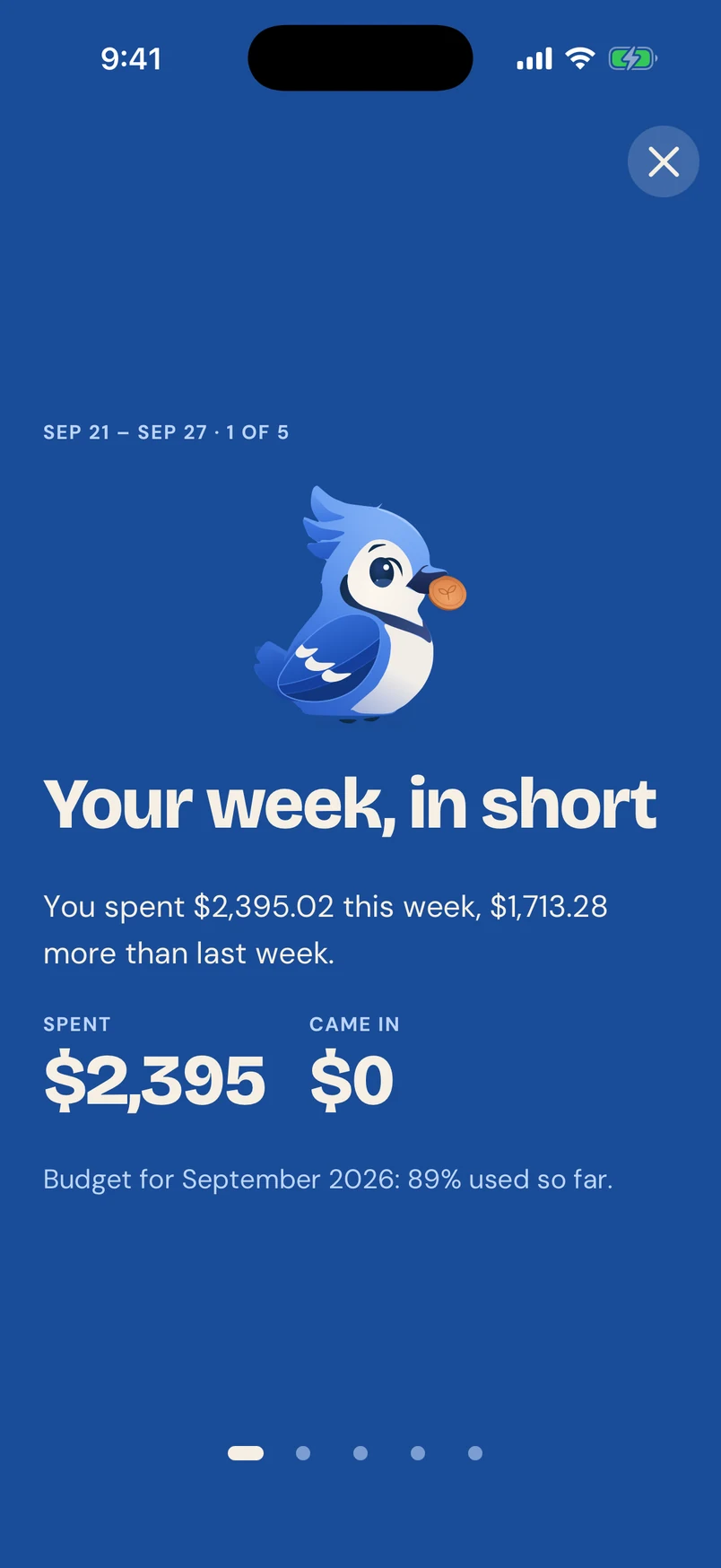
  • Quiet hours, a daily digest, and a weekly recap on Sundays

More about spending alerts
Jay spotted
“Hulu went up from $17.99 to $19.99. Want me to keep an eye on it?”
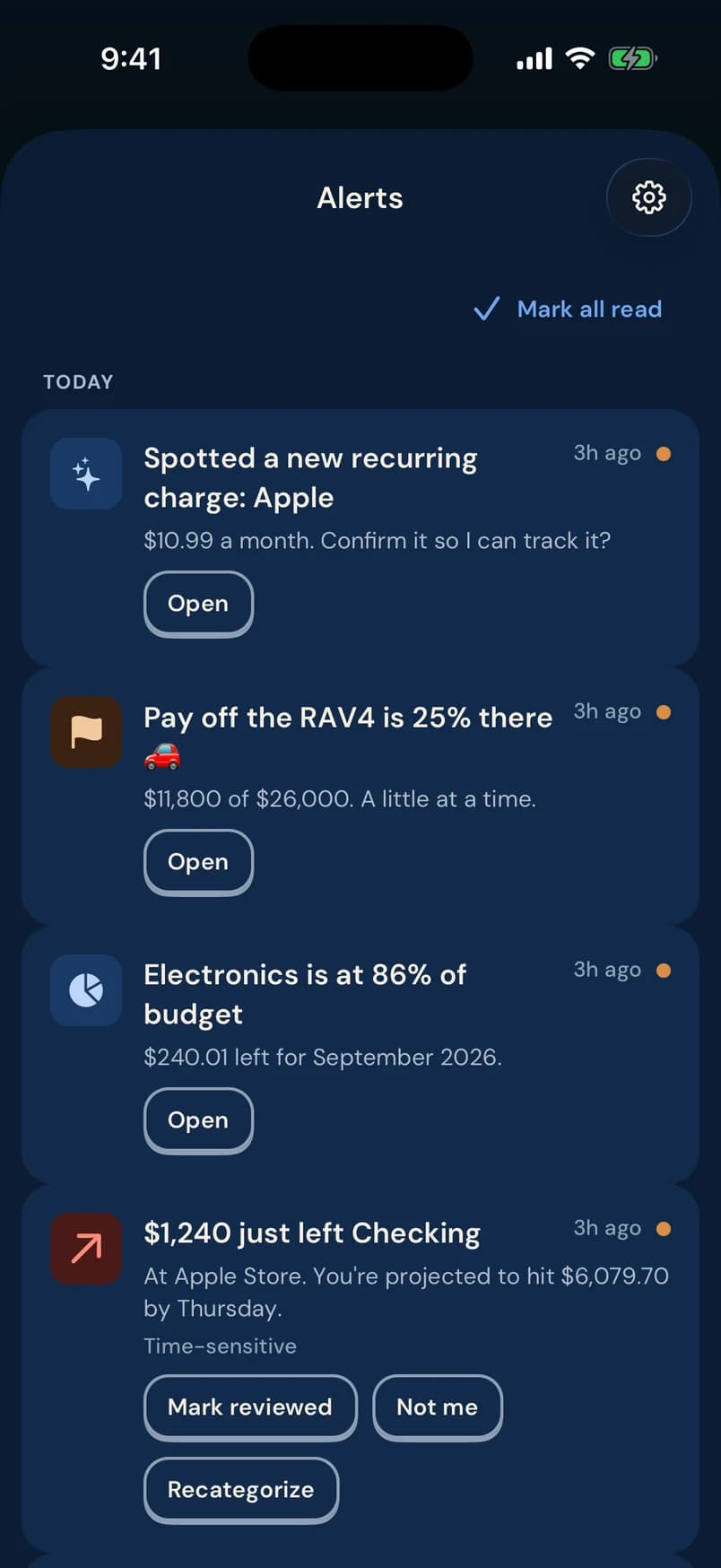
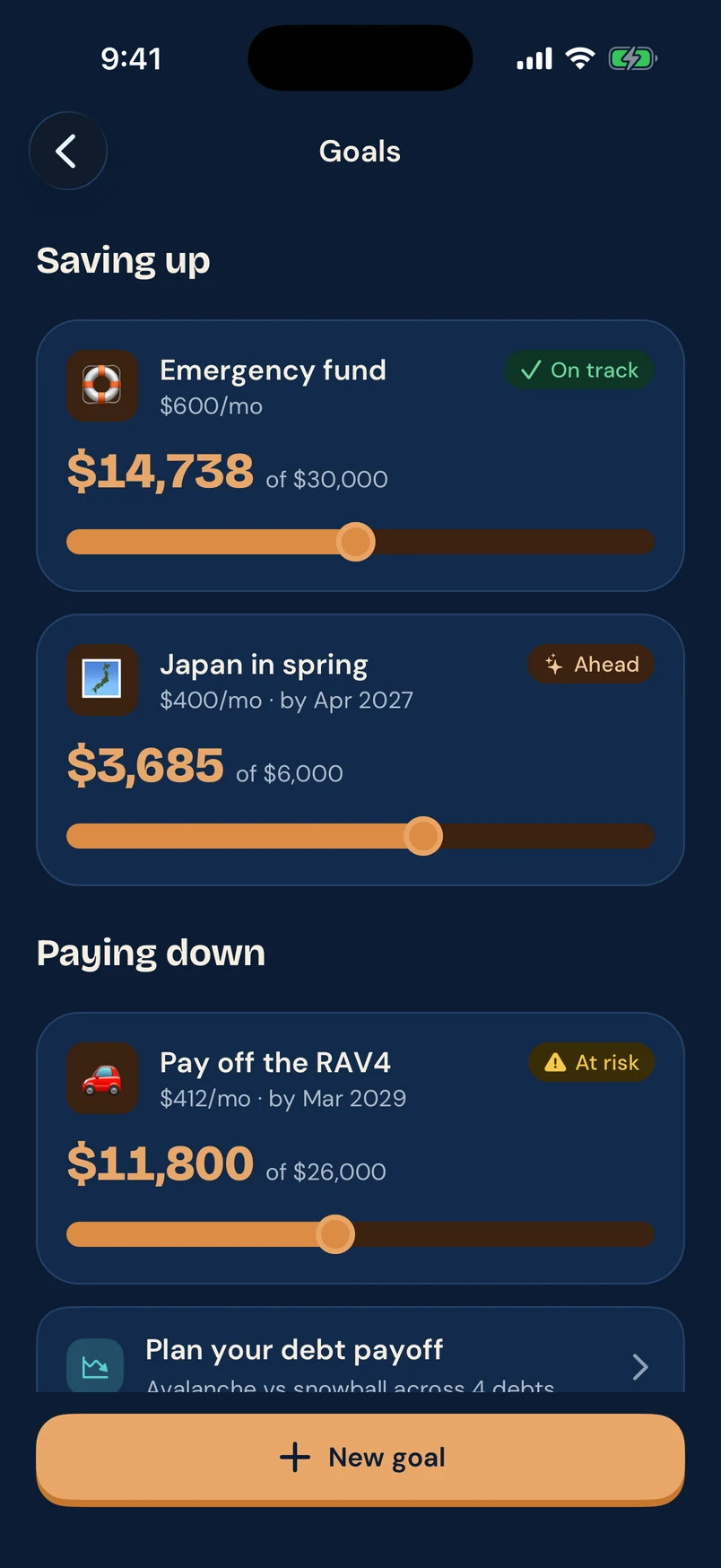
Alerts screen: a new recurring Apple charge, a car-loan goal 25% of the way there, Electronics at 86% of budget, and $1,240 just left Checking

Bills & subscriptions

Every bill and subscription, in one calendar.

Pennyjay finds recurring charges on its own, including annual ones and ones with amounts that change. You see what’s due this week, what’s coming in, and which days are paid.

  • Recurring charges detected automatically; you confirm them in one tap
  • Next 7, 14 or 30 days at a glance, with money coming in
  • Paid, upcoming, missed and “different amount” marked by shape as well as color
More about the bill tracker
Bills screen: Jay spotted 2 new recurring charges, $4,062 due in the next 7 days, and a September calendar of paid and upcoming bills

Budgets

Budget the way your pay actually works.

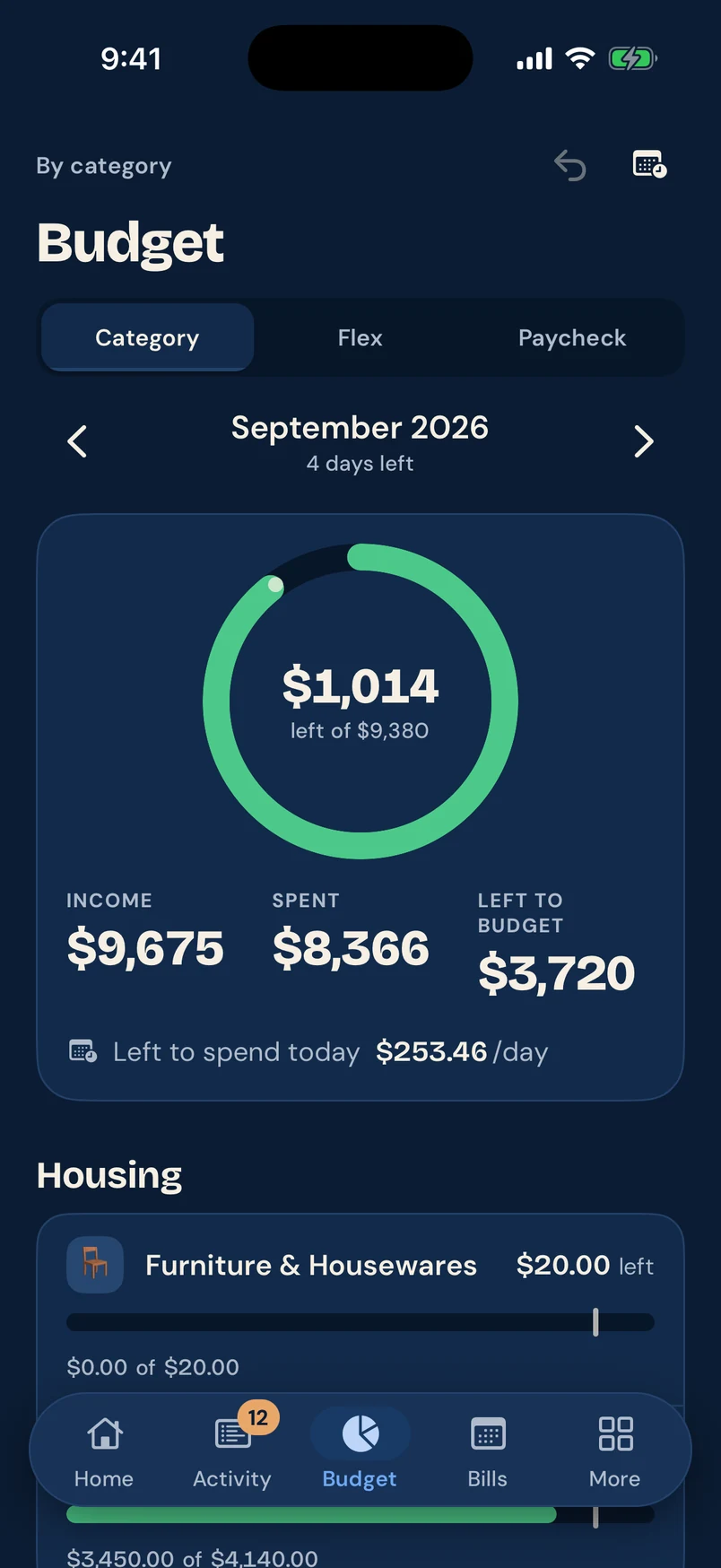
Pick the style that fits: category by category, one flexible number, or a budget that runs from paycheck to paycheck. Pace markers show where you should be today, so you can adjust early.

  • Category, Flex and Paycheck budgets
  • What’s left to spend per day for the rest of the period
  • Over-budget bars say so in words and hatching, not just red
More about budgets
Budget screen for September 2026: $1,014 left of $9,380, income $9,675, spent $8,366, and $253.46 left to spend per day

Transactions

Review a week of spending in a minute.

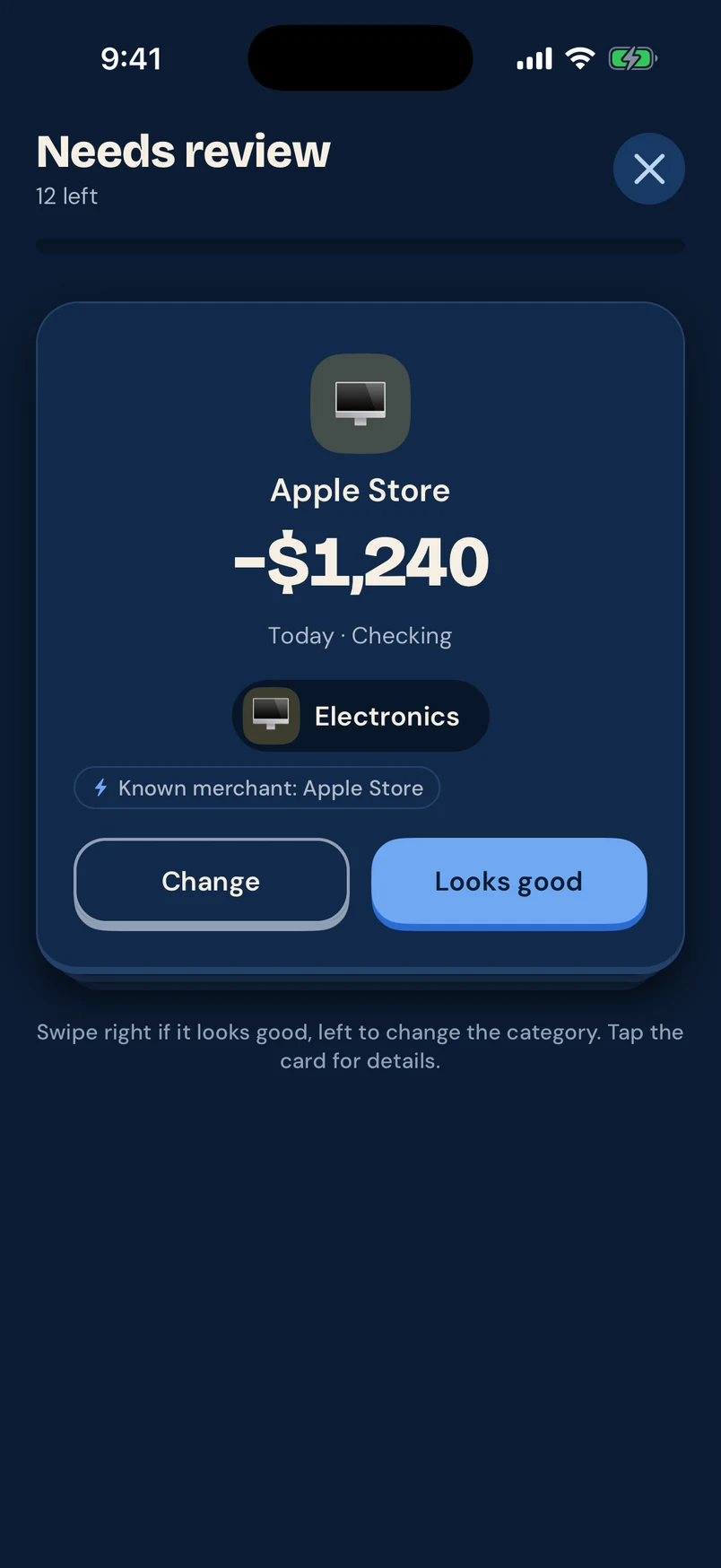
New transactions land in a review stack. Swipe right if it looks good, left to change the category. Every automatic category shows why it was picked, and your edits are never overwritten.

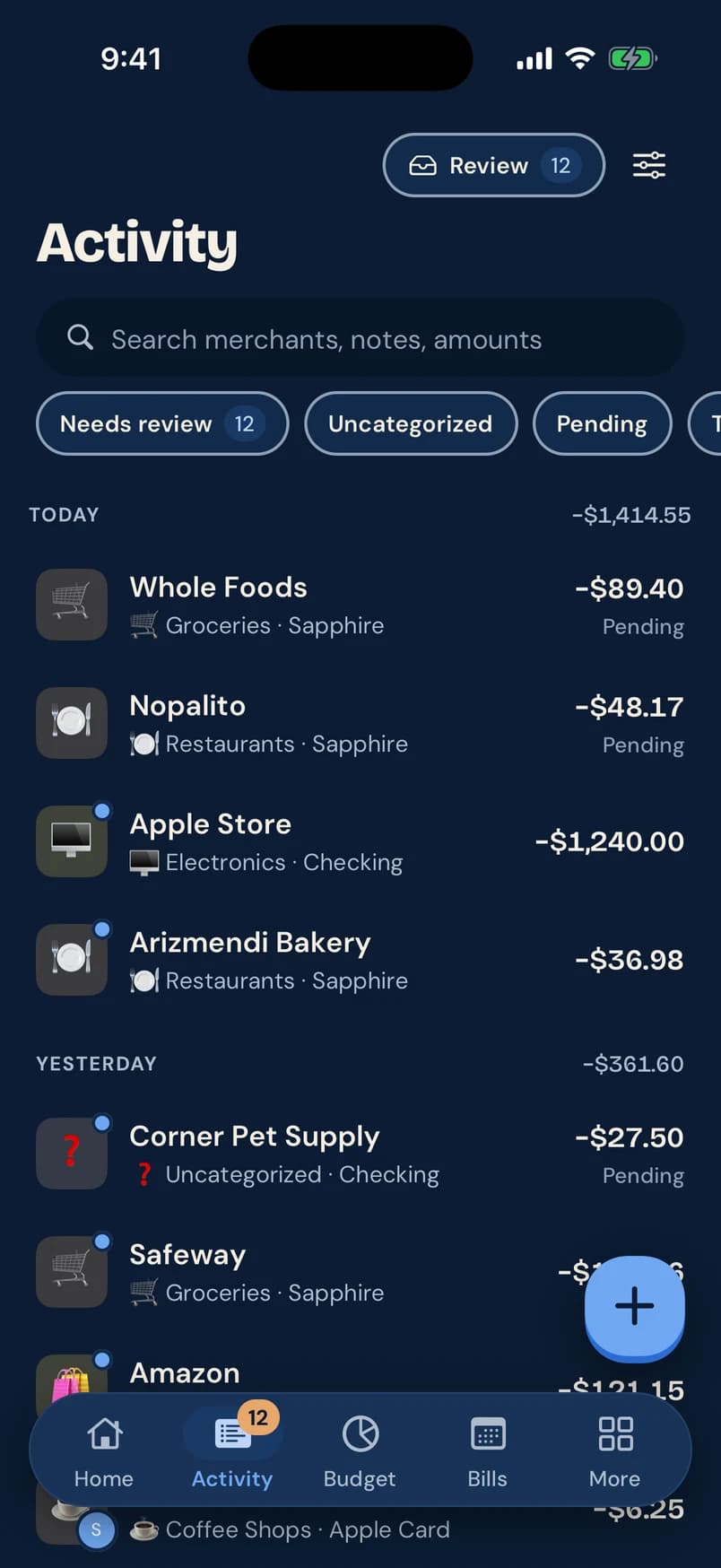
  • Search merchants, notes and amounts; filter by pending, uncategorized and more
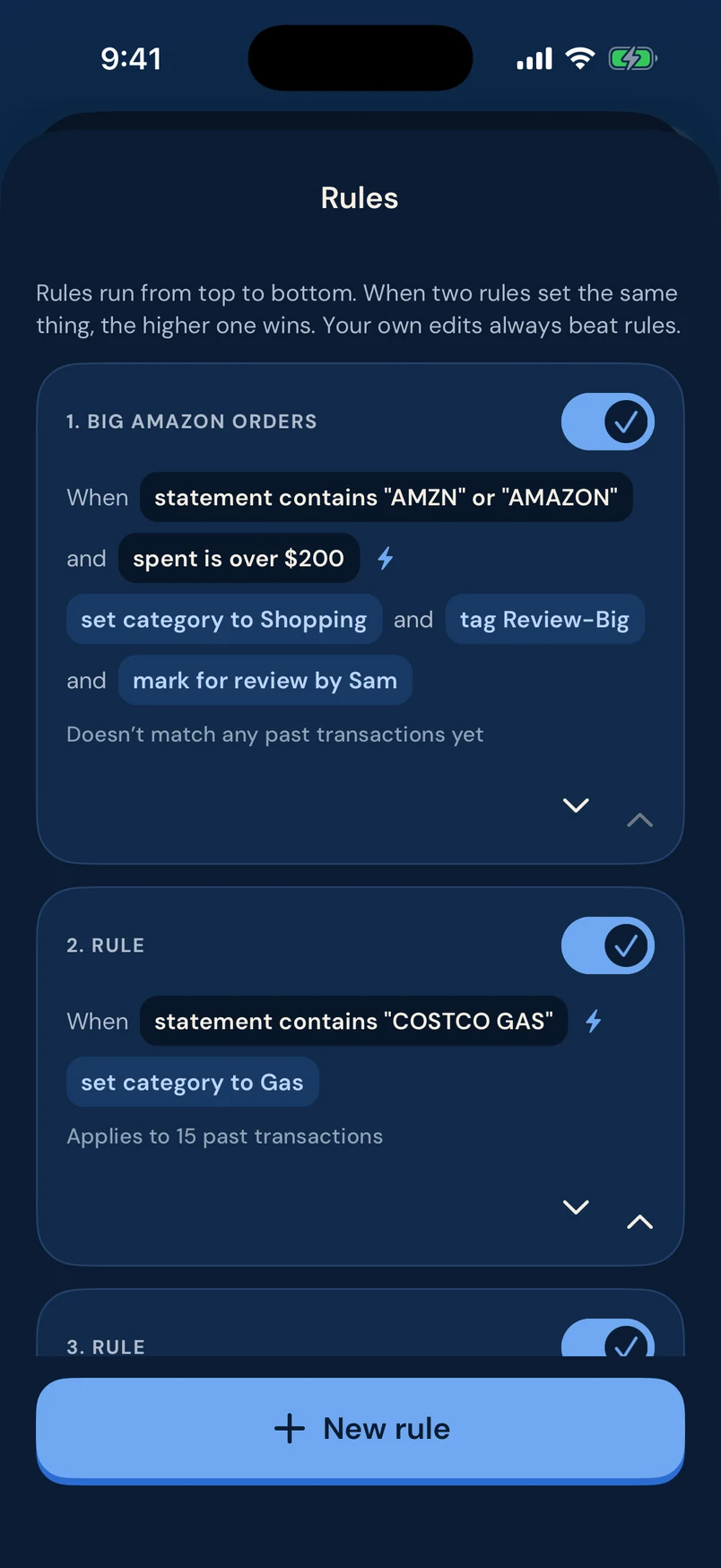
  • Rules that rename, categorize, tag and flag for review, applied top to bottom
  • Split transactions, add notes, and bring in older history from a CSV
How rules and review work
Needs review card: Apple Store −$1,240 categorized as Electronics because it is a known merchant, with Change and Looks good buttons
Activity screen: today’s transactions with categories, accounts and pending labels, and filters for needs review, uncategorized and pending

Cash flow & net worth

See where the money went, and where you stand.

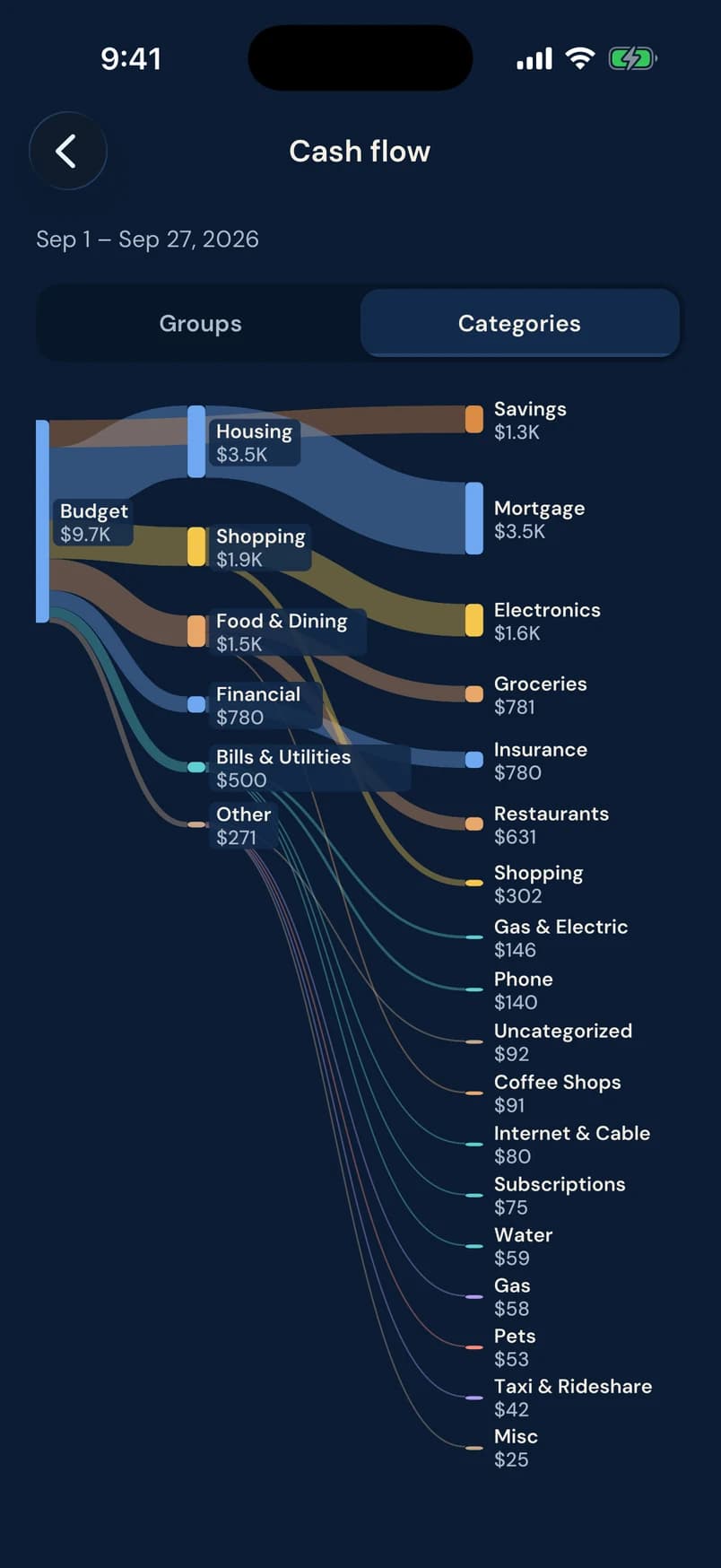
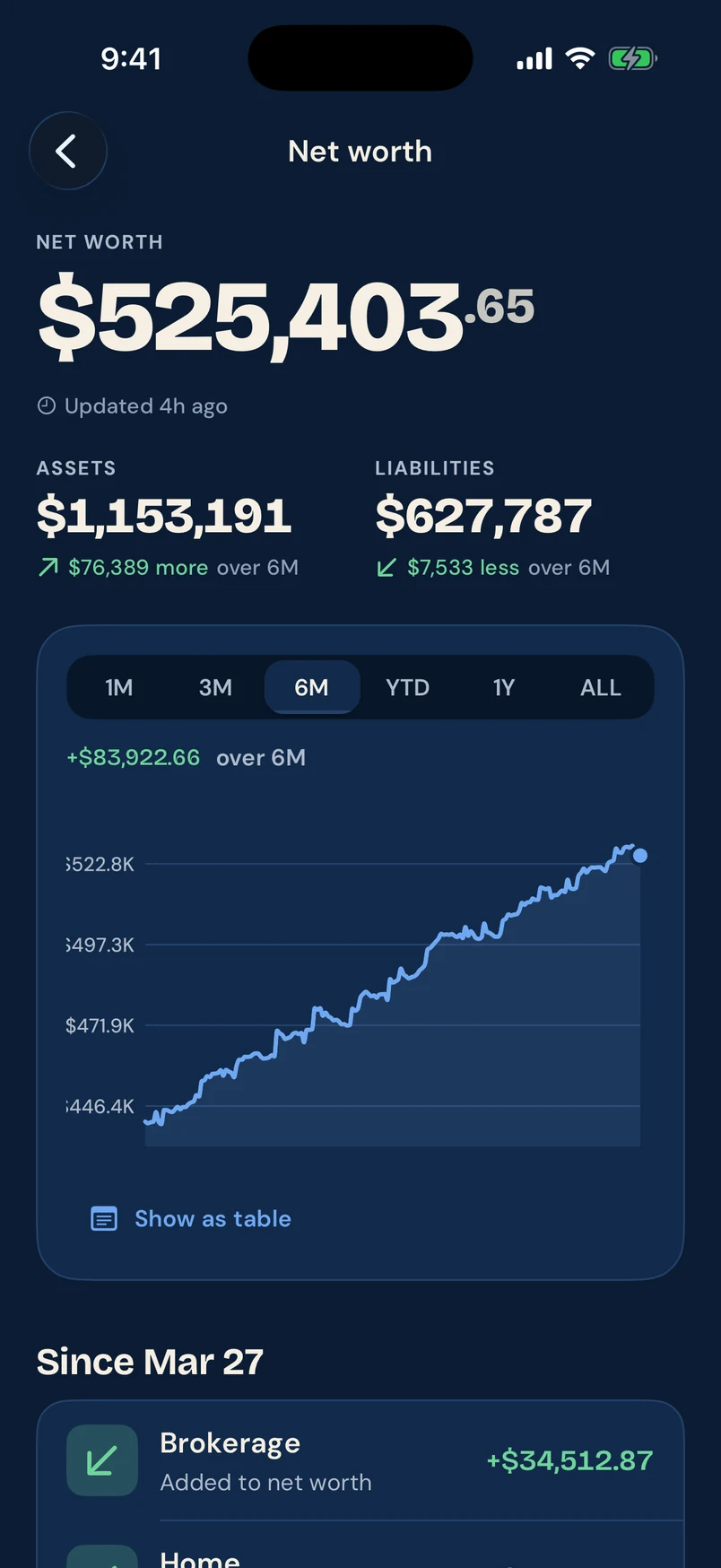
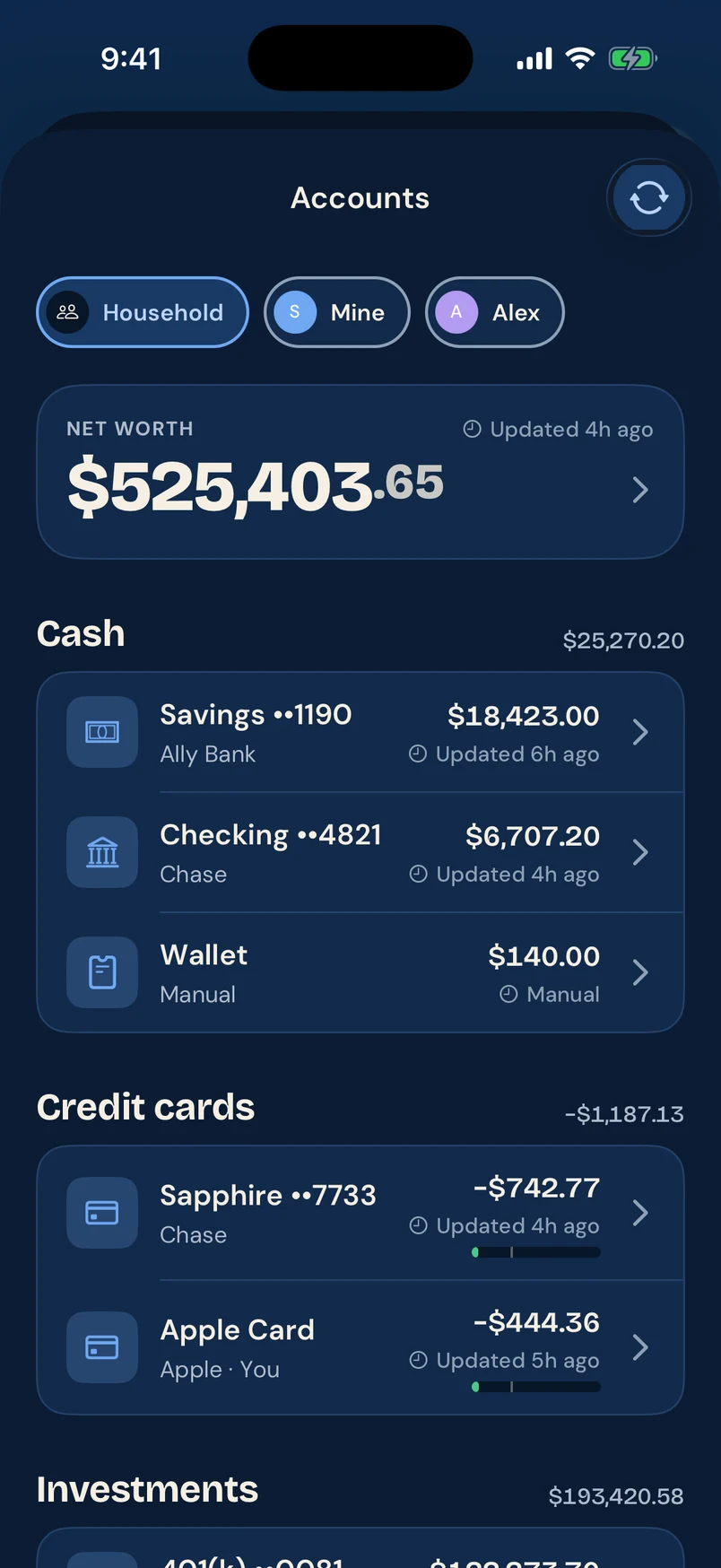
A cash flow chart follows every paycheck through to where it was spent. Net worth tracks every account over time, with each balance showing when it was last updated.

  • Cash flow by category group or category, for any date range
  • Net worth across cash, credit cards, investments, loans and manual accounts
  • Every chart has a “Show as table” view
More about net worth and cash flow
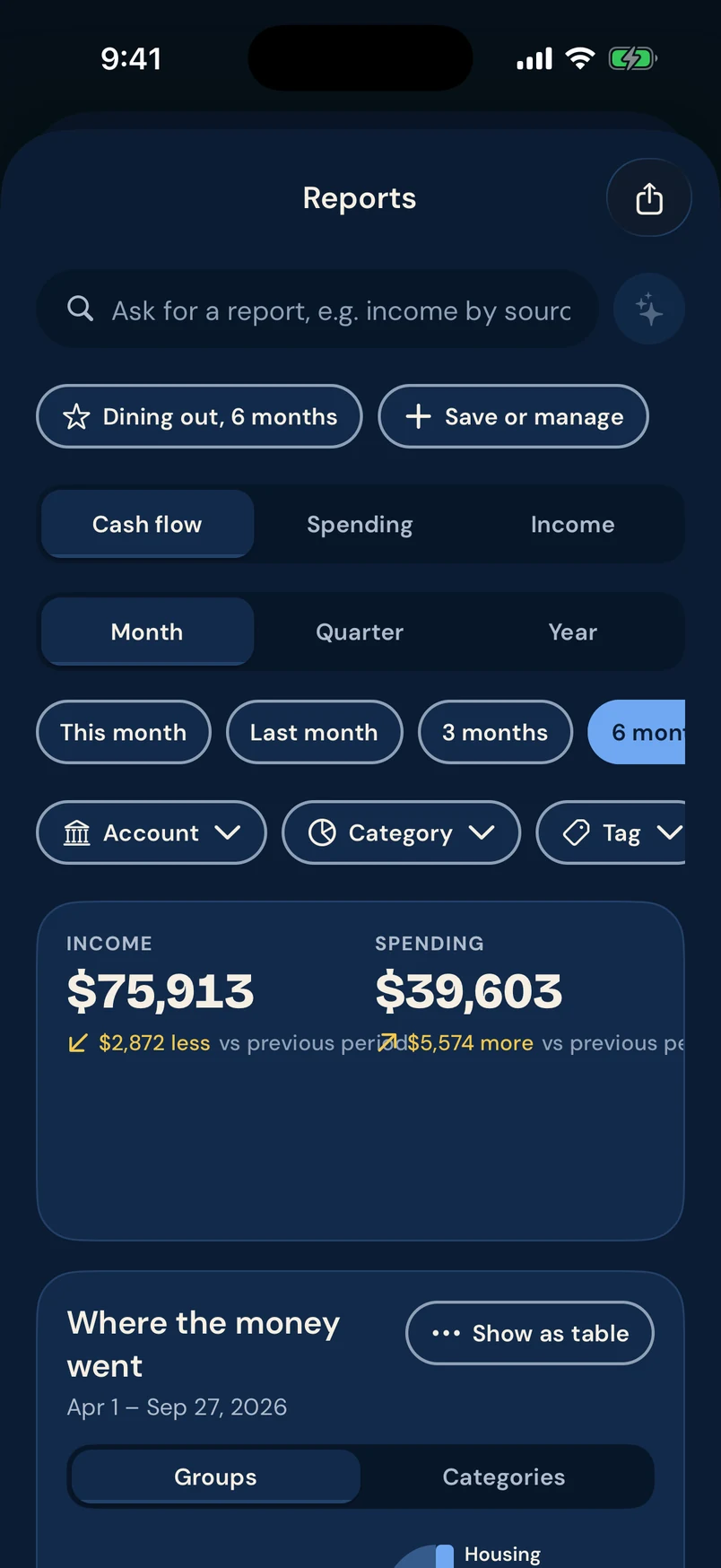
Cash flow chart for September: a $9.7K budget flowing into housing, shopping, food and dining, bills and other categories
Net worth screen: $525,403.65 with assets of $1,153,191, liabilities of $627,787 and a six-month trend chart

Household

Plan together. Keep private things private.

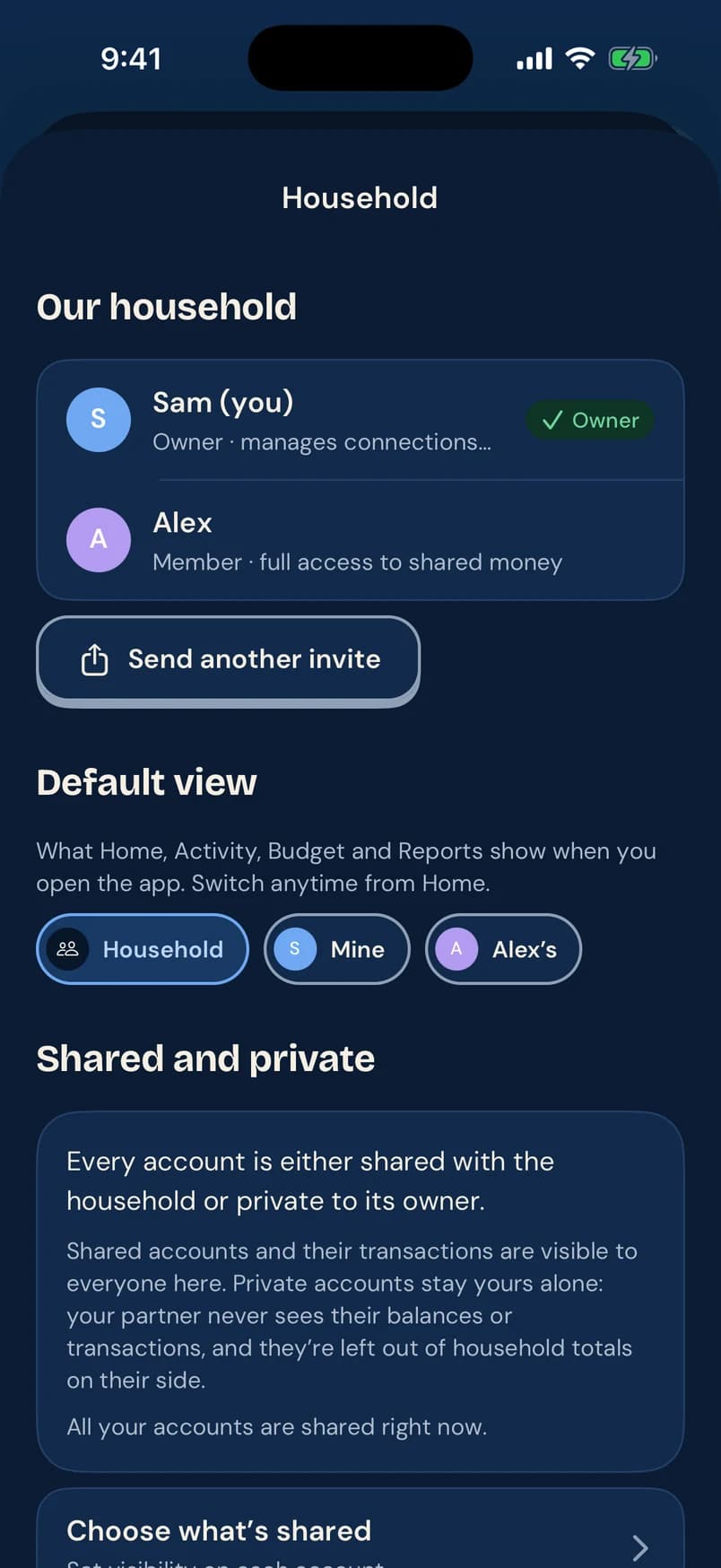
Invite a partner and switch between Household, Mine and Theirs views anywhere in the app. Any account can be private to its owner: its balances and transactions stay out of the other person’s view and totals.

  • Shared or private, set per account
  • Assign transactions to review by a specific person
  • Each person picks the default view they open to
More about budgeting for couples
Household screen: Sam (owner) and Alex (member), default views for Household, Mine and Alex’s, and how shared and private accounts work

And plenty more

The rest of the nest.

Why Pennyjay

A money app you can trust at a glance.

Blue jays bury thousands of acorns and remember where nearly all of them are. Pennyjay is built on the same idea: save small and often, and never lose track.

  • Every number shows where it came from

    Balances say when they last updated. Automatic categories say why they were chosen. Alerts that arrive late say so.

  • Sync you can see

    Connection problems show up right away, with who needs attention and a one-tap reconnect. Your numbers never go quietly stale.

  • Spending isn’t an error

    Money going out is just money going out, not a red warning. Red is saved for problems that need you, like a missed bill.

  • Look, don’t touch

    Pennyjay reads your accounts; it doesn’t move money. Bank logins go through the connection provider, never to us.

  • Your edits stick

    Change a category or a name and it stays changed. Automation proposes; you decide.

  • A lookout, not a nag

    Short, specific notes with a next step. No guilt, no hype, no streaks to keep.

Questions

When can I use Pennyjay?

We’re putting the finishing touches on it now. Join the waitlist and we’ll email you as soon as you can download it. That’s the only email you’ll get from the list.

Which phones will it run on?

iPhone and Android, both from day one. Neither is a port of the other.

How much will it cost?

We haven’t set pricing yet. People on the waitlist will hear about it first, before anything is charged.

How does Pennyjay connect to my bank?

Through a secure, read-only connection from an established provider. You sign in to your bank through them, so Pennyjay never sees or stores your bank password, and it can’t move money. You can also add accounts manually or import a CSV.

Can my partner and I use it together?

Yes. Invite them to your household, switch between Household, Mine and Theirs views, and mark any account as private to its owner.

Does Pennyjay track bills and subscriptions?

Yes. It finds recurring charges on its own, from weekly to annual, puts them on a calendar, and tells you about price increases and free trials about to convert.

I used Mint. Can I bring my history?

Yes. If you exported your transactions from Mint as a CSV, Pennyjay recognizes the format, skips anything you already have, and shows you a preview before saving.

What are the screenshots showing?

The real app, running with a sample household we made up for testing. None of the names or numbers belong to real people.

Be first in the nest.

Pennyjay is almost ready. Leave your email and we’ll let you know the moment you can download it.

Which phone do you use? (optional)

One email when we launch. No spam, and we never share your address.